You build a Trawley scraper by talking to an assistant. You describe what you want in plain language, and it inspects the real page, proposes how to extract your data, tests it, and shows you a preview. You never touch a CSS selector.
Starting out
Paste a start URL
Click New scraper and enter the address of a page that lists the items you want. The assistant opens that page and begins reading its structure.
Describe what you want
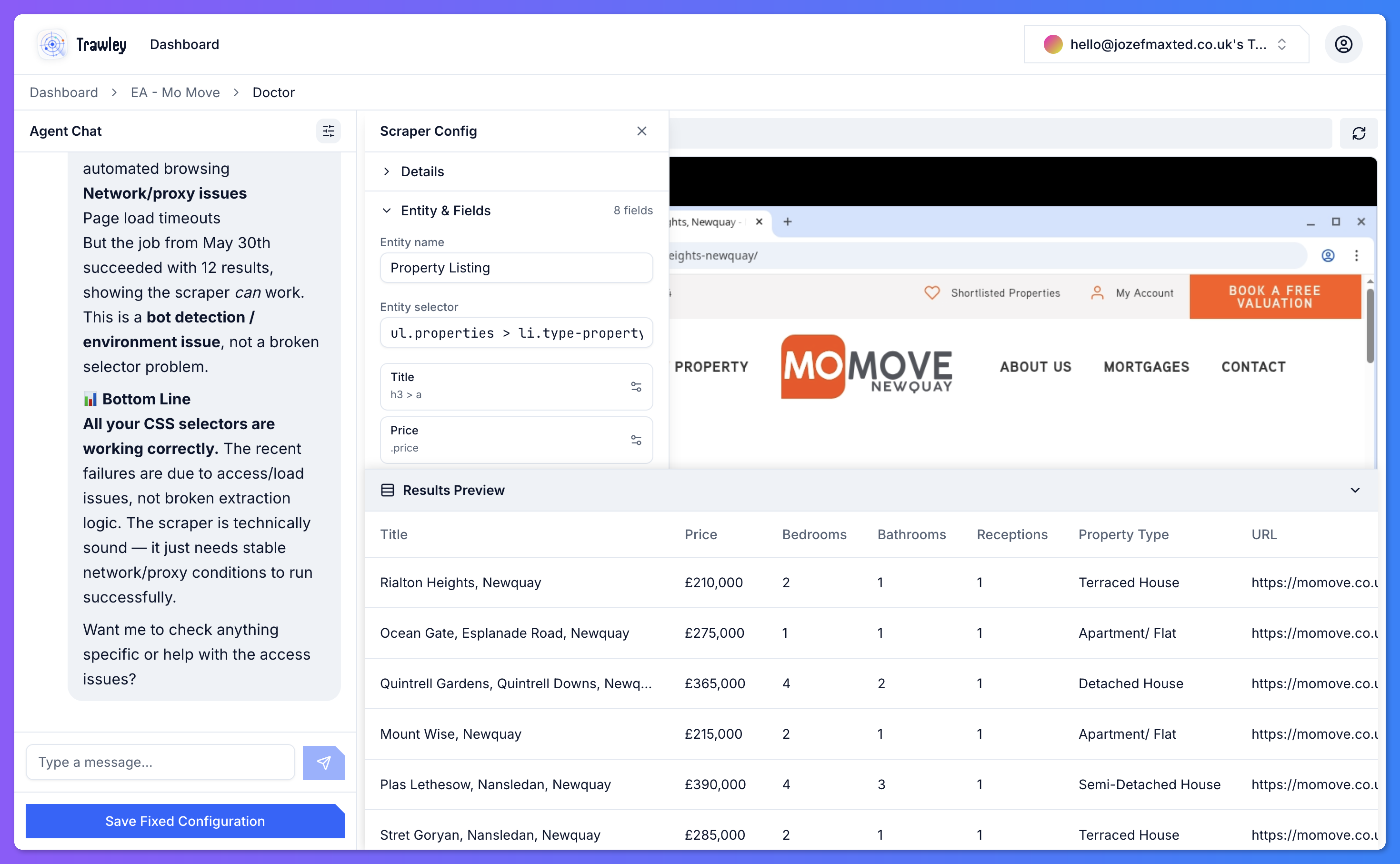
Tell the assistant the data to capture, for example: "Grab the title, price, number of bedrooms, and location for each property." It works out which part of the page each field comes from.
Watch it work
As it goes, the assistant shows what it is doing: reading the page, testing a field, checking for pagination, and pulling a preview. You can follow along and step in any time.
What the assistant can do
The assistant is not just generating guesses. It works against the live page and can:
- Read the page structure to find the repeating items in a list.
- Test a field by extracting it from the real page and showing you the value.
- Check pagination so the scraper collects every page, not just the first.
- Preview results so you see real captured data before saving.
Refining by conversation
If a field is wrong, say so. "The price is picking up the old price, use the discounted one" or "split the location into town and county" are the kinds of instructions it understands. The configuration updates as you chat, and you can keep refining until the preview is right.
Be specific about edge cases you have already spotted: missing prices, items that are sold, or fields that sometimes have two values. Mentioning them early saves a round trip later.
Saving
When the preview looks correct, save the scraper. From there you can run it, put it on a schedule, and search the results.