Welcome to Trawley. You point it at a website, describe what you want in plain language, and it builds a scraper that turns that site into structured, searchable data. No code, no CSS selectors to hand-write.
What you'll need
A web browser and the address of a page that lists the things you care about, for example a property listings page or a product catalogue. That's it.
Steps
Create an account
Sign up at app.trawley.ai. You start on a free plan, so you can build and test
a scraper right away.
Start a new scraper
Click New scraper and paste the URL of the page you want to scrape. Trawley opens the page and starts looking at it for you.
Tell the wizard what to extract
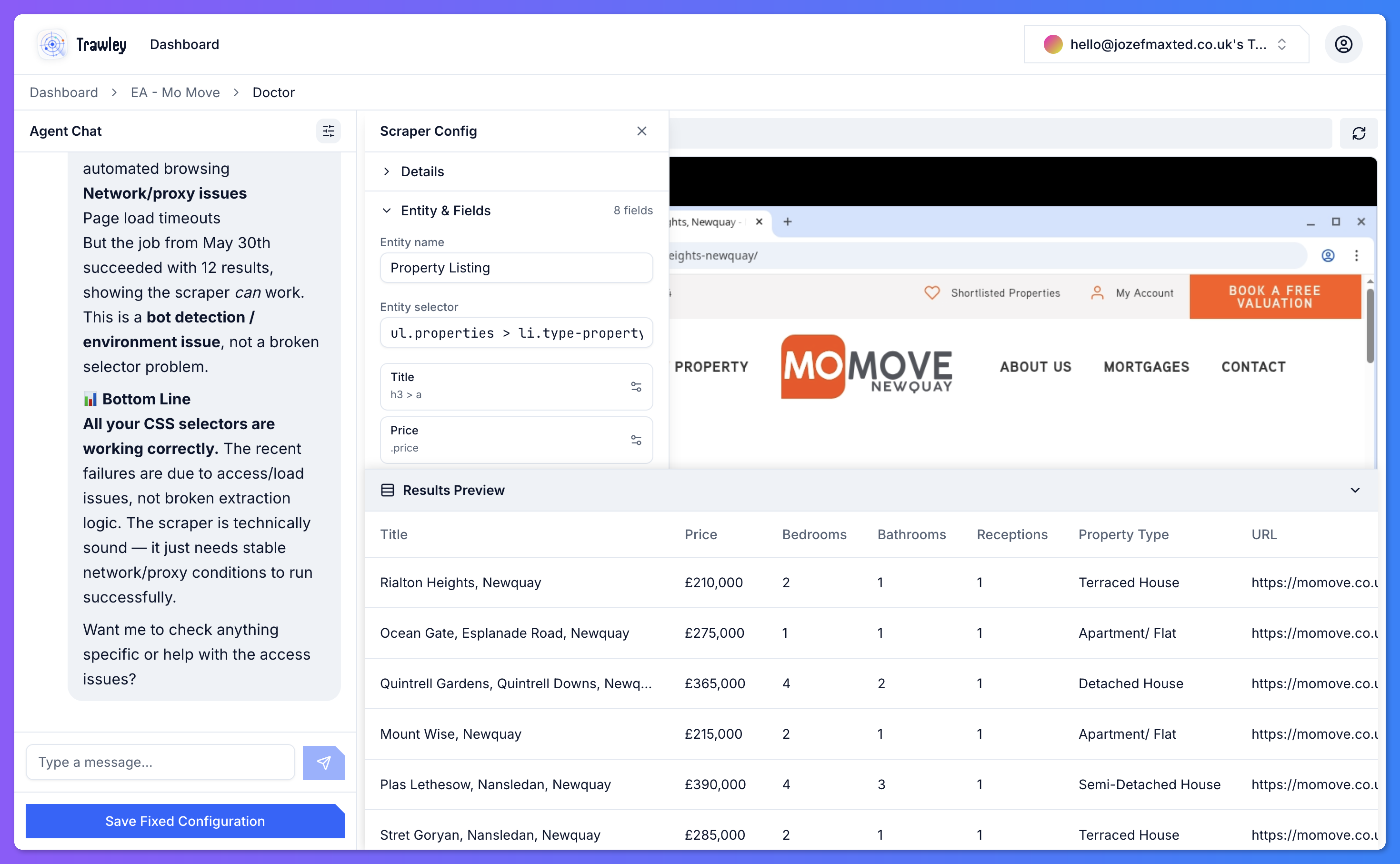
You chat with an assistant. Describe the data you want ("the price, number of bedrooms, and location for each listing") and it suggests fields, tries them against the real page, and shows you a preview.
Save and run
When the preview looks right, save the scraper and run it. Trawley collects the data and indexes it for search.
What happens next
Once a scraper has run, you can browse and search its results, schedule it to re-run automatically, and query it from your own apps through the API.